
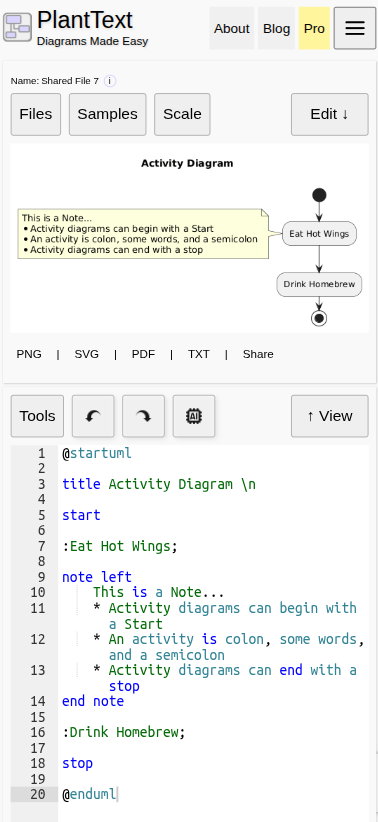
PlantText Version 24 introduces a responsive mobile experience that brings the complete PlantText editor to smartphones and tablets. We’re not talking about a watered-down mobile version that lets you look at diagrams but needs a real computer to do anything useful. This is PlantText. The whole thing. Just on a smaller screen!
Whether you’re sitting at your desk, reviewing architecture during a meeting, or getting a brilliant idea while waiting in line for coffee, you can create, edit, and render UML diagrams directly from your mobile browser.
No App Store, No Separate Mobile Version, No Nonsense
There’s no separate app to install. Just open PlantText.com in your mobile browser and use the editor. If you like though, you can create a handy shortcut for yourself right on your home screen.
- Pull up PlantText.com in your mobile Chrome browser
- Click the 3 dots icon in the upper right
- Select “Install and create shortcut”
This creates an icon on your phone’s home screen and makes PlantText open without any browser buttons or URL bar. This gives you the most screen space to work with.
The Full Desktop Experience, Minus the Desktop
Just like the desktop version, PlantText mobile is fully functional. You can write PlantUML, open and edit existing diagrams, render changes, manage files, and access the same diagramming capabilities you’ve come to depend on in PlantText. PlantText mobile even supports dark mode!
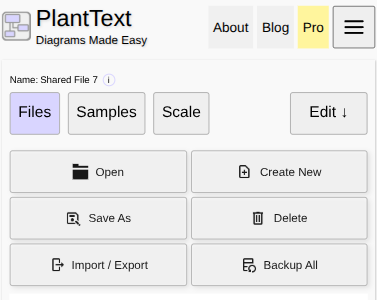
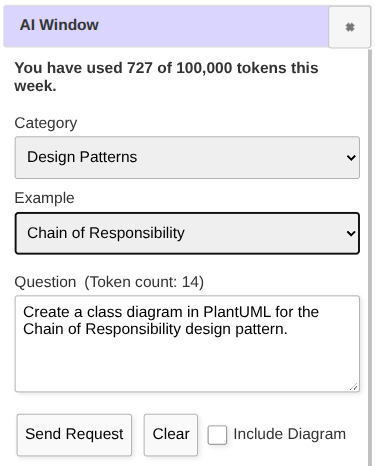
Click Edit to work with PlantUML code, then tap View to see the resulting diagram. Need to make another change? Tap Edit again. It’s a simple workflow that makes good use of limited screen space. You can concentrate on writing your diagram when you’re editing and give the diagram the available screen space when you’re viewing it. The AI window is also easily accessible to help you refactor or generate diagrams.
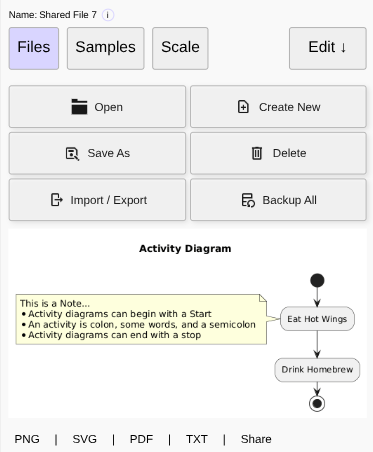
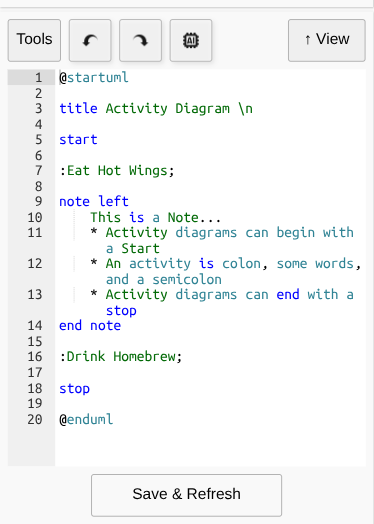
Another tip: Press the Scale button if you are on a phone and have a hard time reading text or seeing the entire diagram. This button toggles the diagram image from full size to fitting the screen.
Edit. View. Repeat. It’s the same iterative process you already use on your desktop, just better suited to a touchscreen.
The Hamburger Menu: All the Advanced Features Are Still There
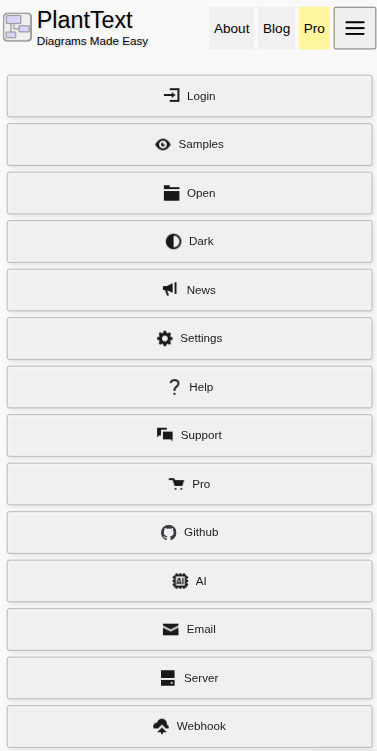
You know the mobile hamburger menu, right? In PlantText Version 24, that’s where you’ll find the advanced features and options. Nothing important has been removed.
This keeps the mobile interface uncluttered without sacrificing any capabilities. It’s like having a clean workbench with all your specialized tools tucked into drawers, ready when you need them.
Your Next Great Idea Probably Won’t Happen at Your Desk
Software developers have an annoying habit of solving problems when they’re nowhere near their computers. Walking the dog. Sitting through a meeting that probably could have been an email. Waiting for someone who said they’d be ready five minutes ago. Sometimes a complicated architecture problem suddenly makes sense, and you want to capture that idea before it disappears.
With PlantText Version 24, you can pull out your phone, open your browser, and start diagramming. Use a Sample to get started, work with your existing Files, or try the AI button when you need some assistance. Then switch between Edit and View as you refine your diagram.
You don’t need to wait until you’re back at your workstation. And if you’re the sort of developer who enjoys thinking about software architecture while on vacation, well, we’re not here to judge.
PlantText Mobile: Review, Edit, and Explain Diagrams Anywhere
Sometimes you just need to answer a quick question. How does that authentication sequence work again? Which service calls the database? The mobile view makes it easy to open your files or pull up a sample to look at quickly. Or, click the AI button above the editor to quickly generate or modify your PlantUML.
Being able to open PlantText on your phone or tablet makes it easier to review designs for quick sidebar conversations. Instead of waiting until everyone gets back to their computers, you can work with the actual diagram right there. It’s especially handy in technical meetings, code reviews and classroom discussions.
Give Version 24 a Try
PlantText has always been about making UML diagramming easier: write some PlantUML, render your diagram, and get on with building something. With Version 24, we’re extending that simplicity to the devices you carry around every day.
So grab your phone, visit www.planttext.com and give it a try. Open a Sample, make a change with Edit, tap View to see the result, and experiment with the Scale button to find which viewing size works best. And if you need an advanced feature, you know where to find the hamburger menu.
Happy diagramming…wherever you happen to be.